
Personal eSIM Quick Start Guide for BMW
Find out the plan cost here

Unlimited Data Plan + Roaming in EU

Unlimited Data Plan

Unlimited Data Plan

Unlimited Data Plan

Unlimited Data Plan

Unlimited Data Plan

New Zealand Unlimited Plan
All you need to do is follow these four easy steps




1. Select Xtreme+ as your mobile network provider in the My BMW App
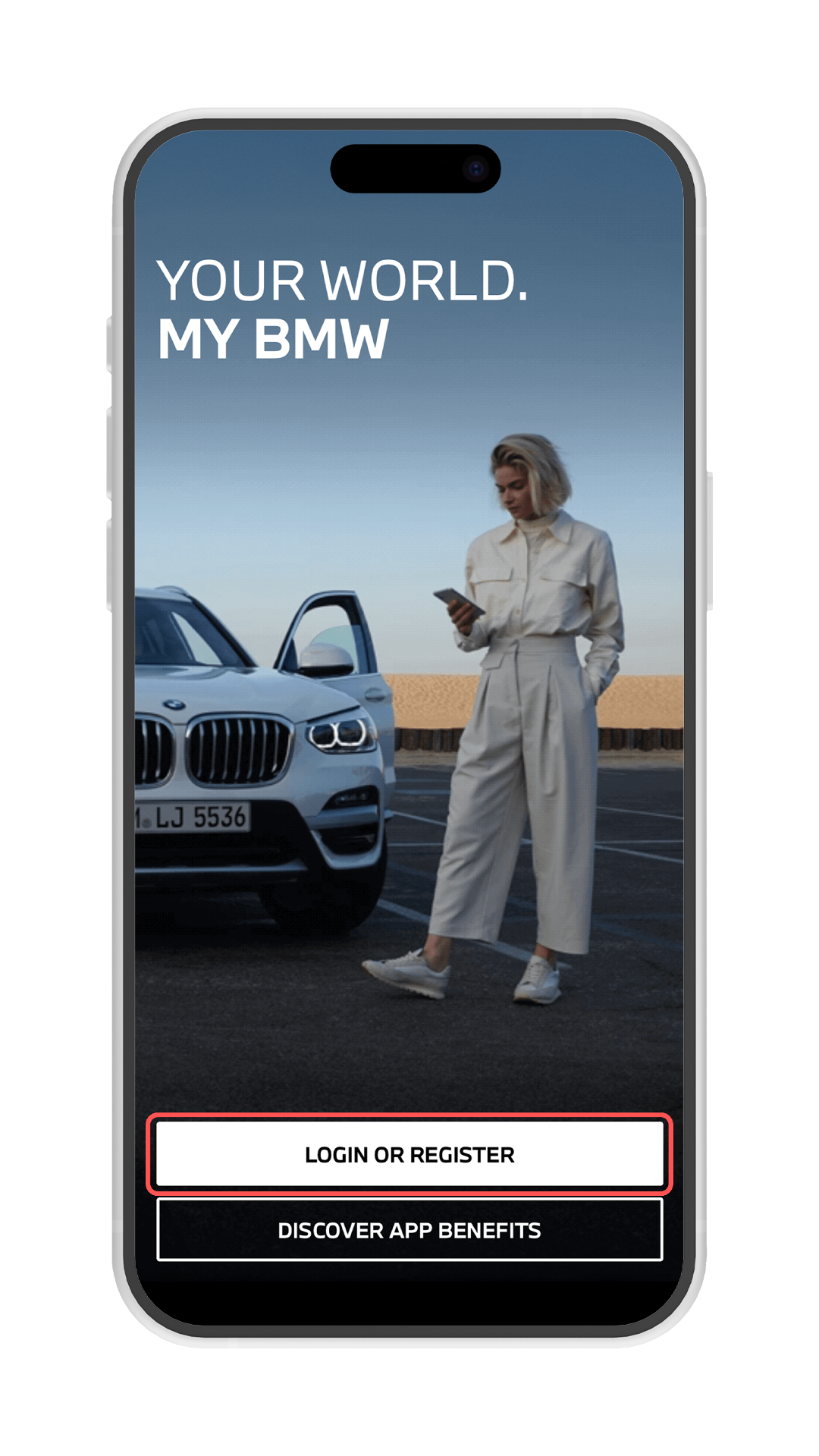

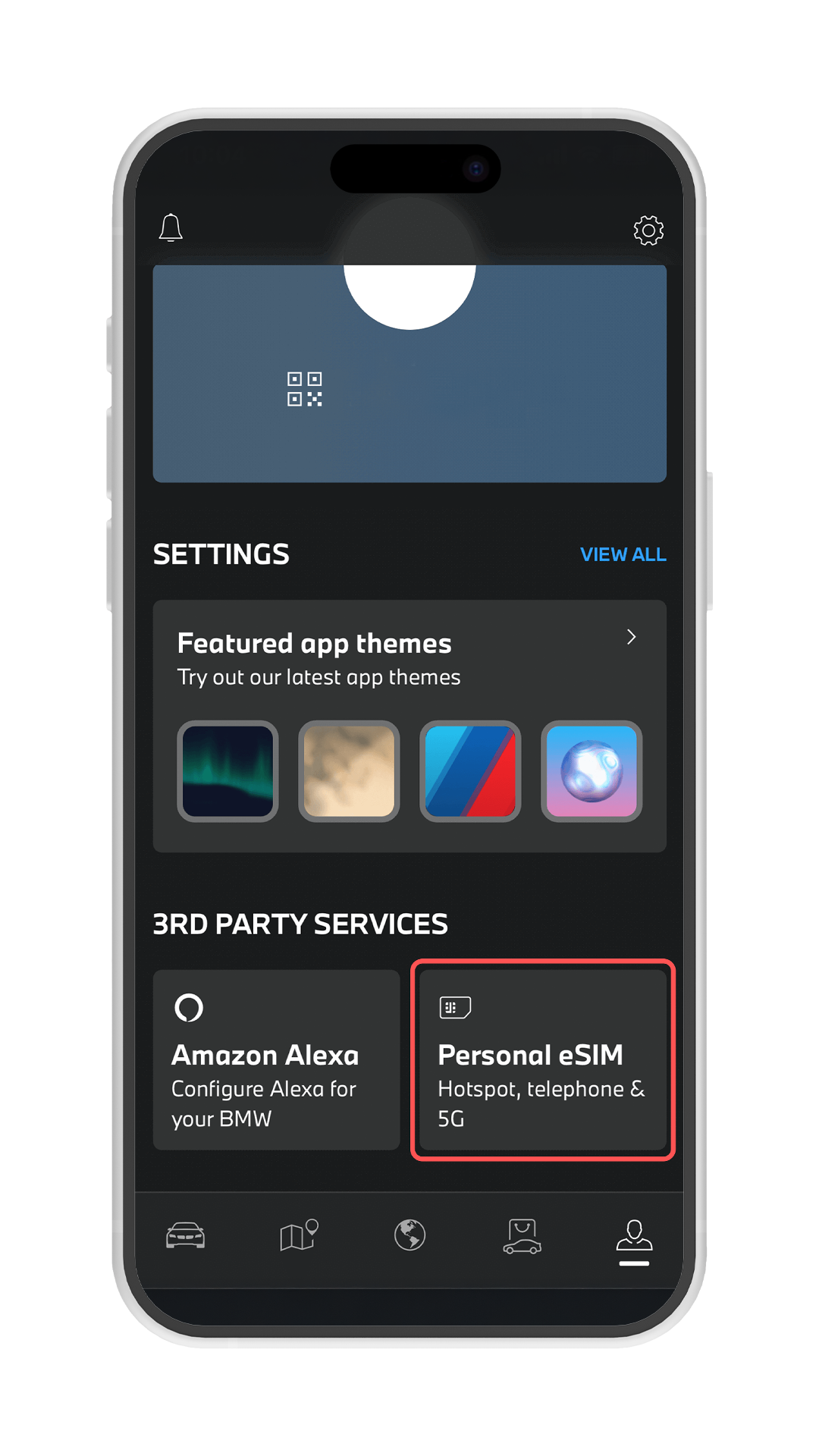
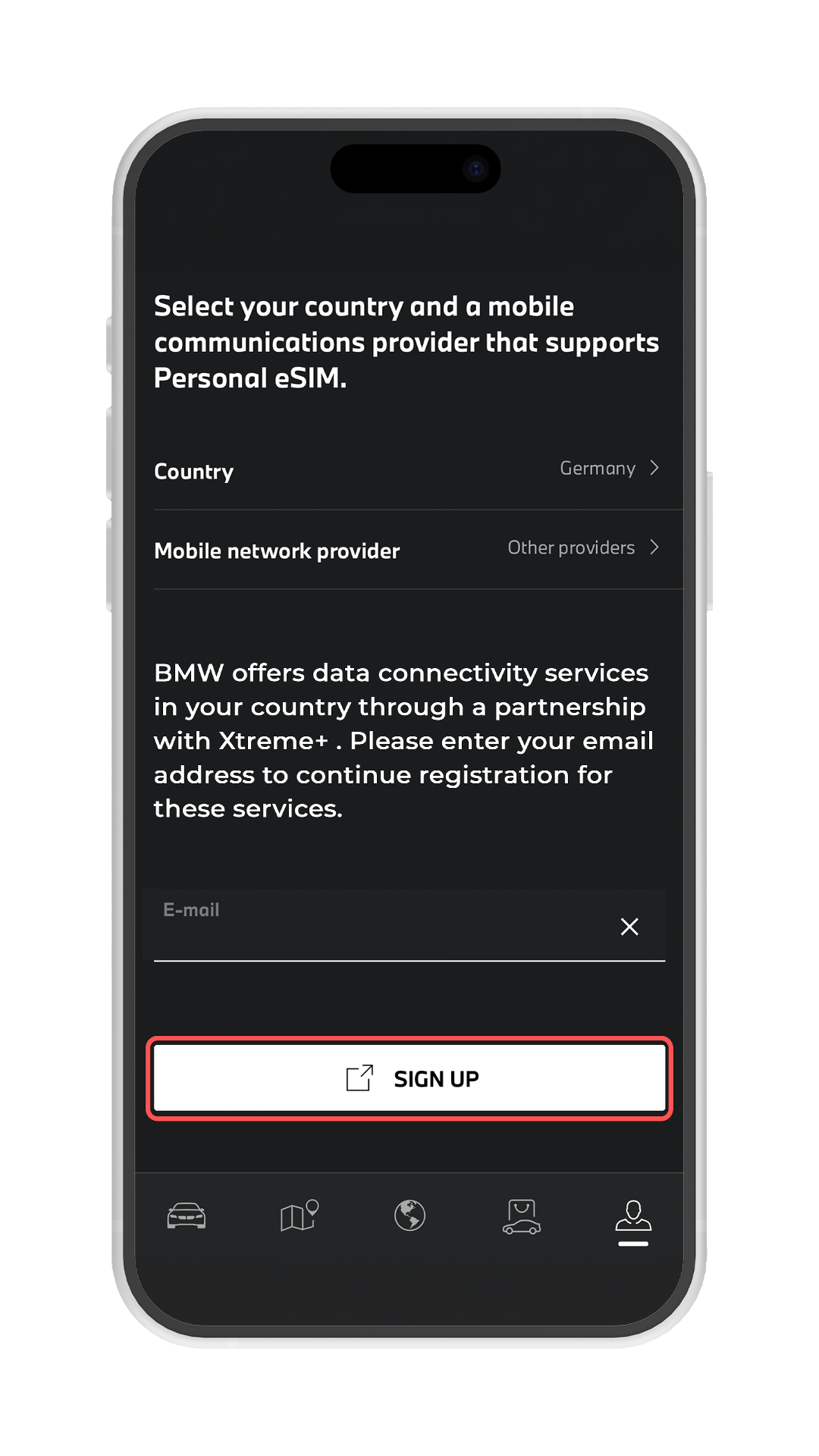
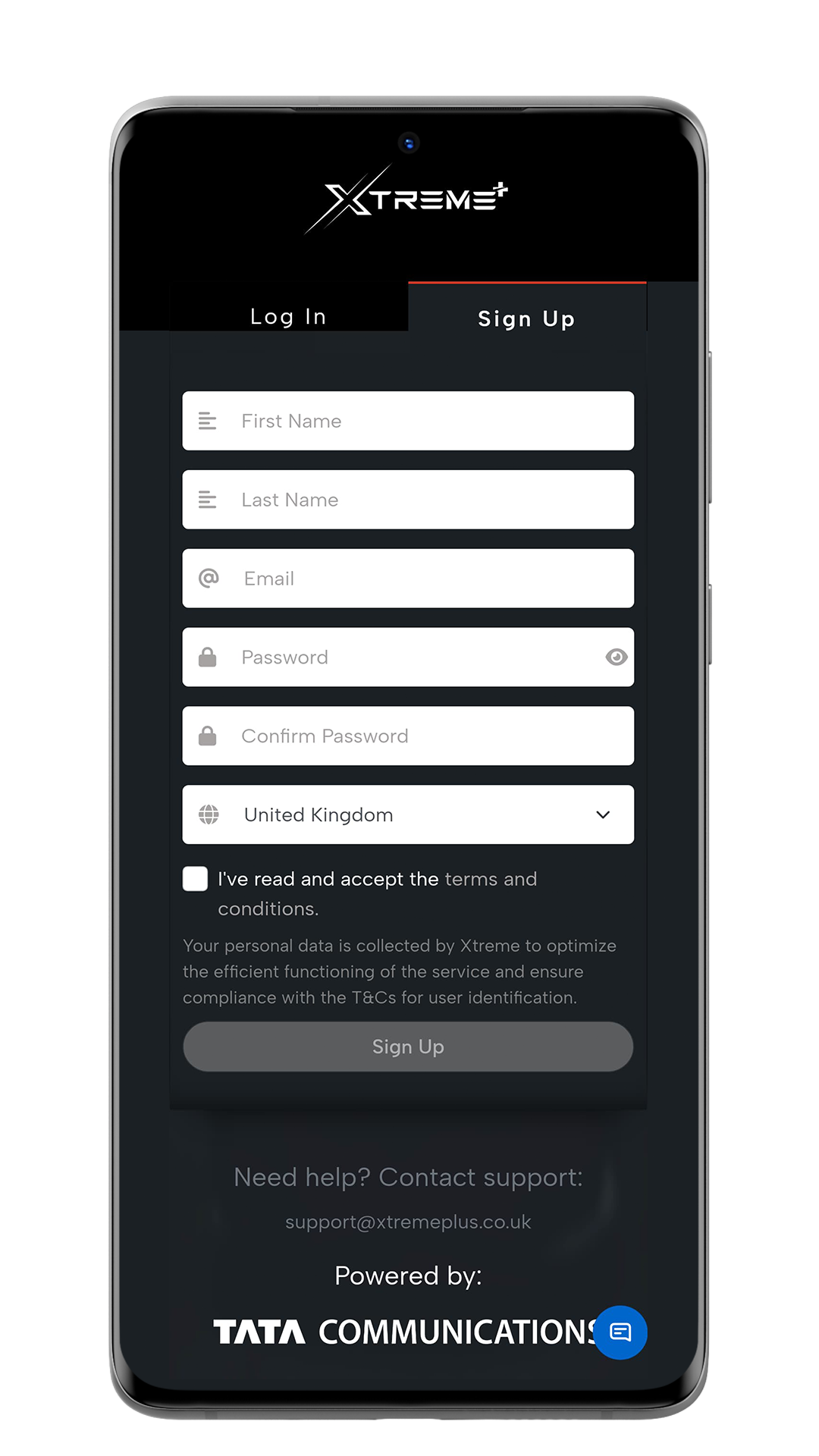
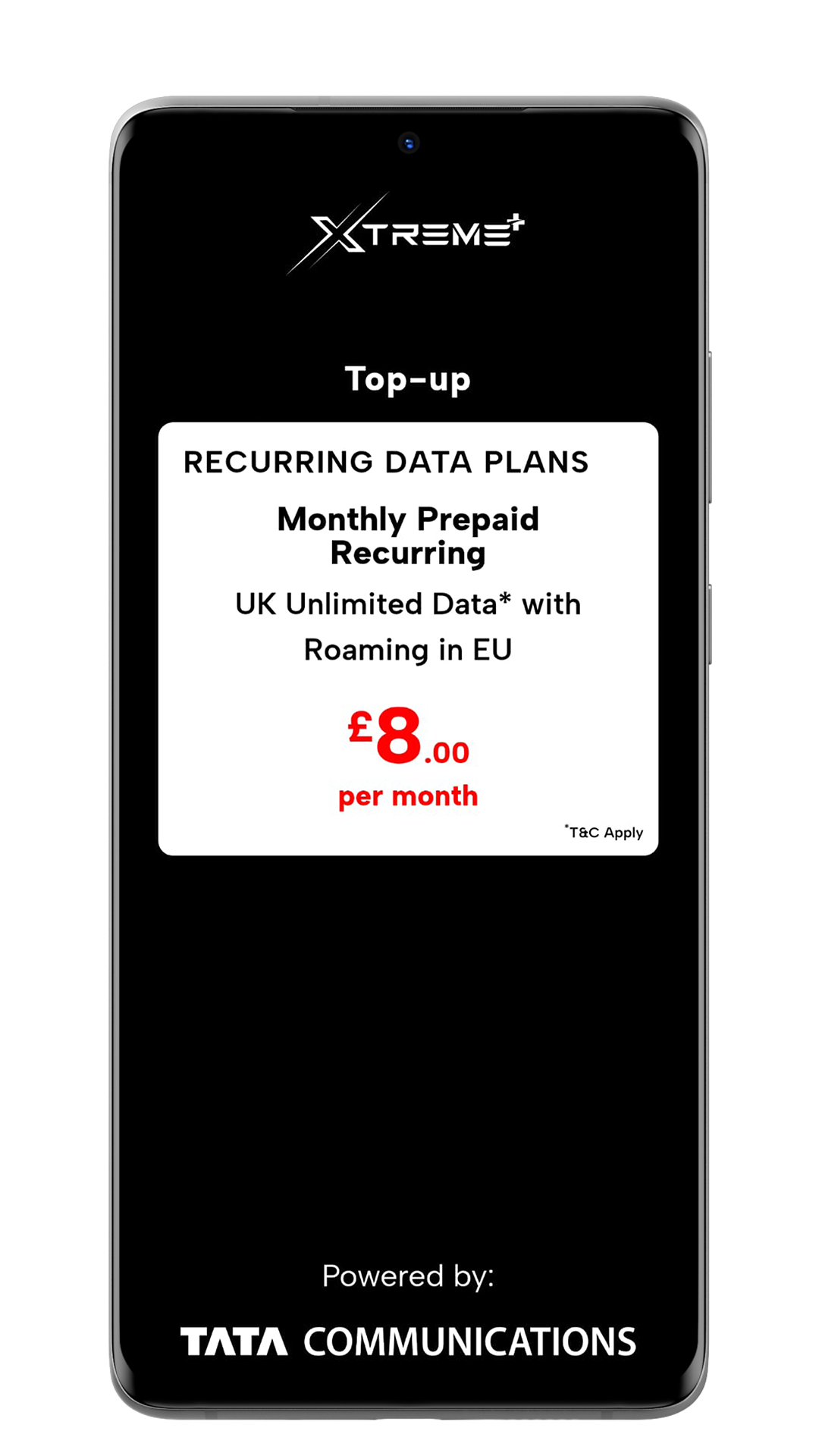
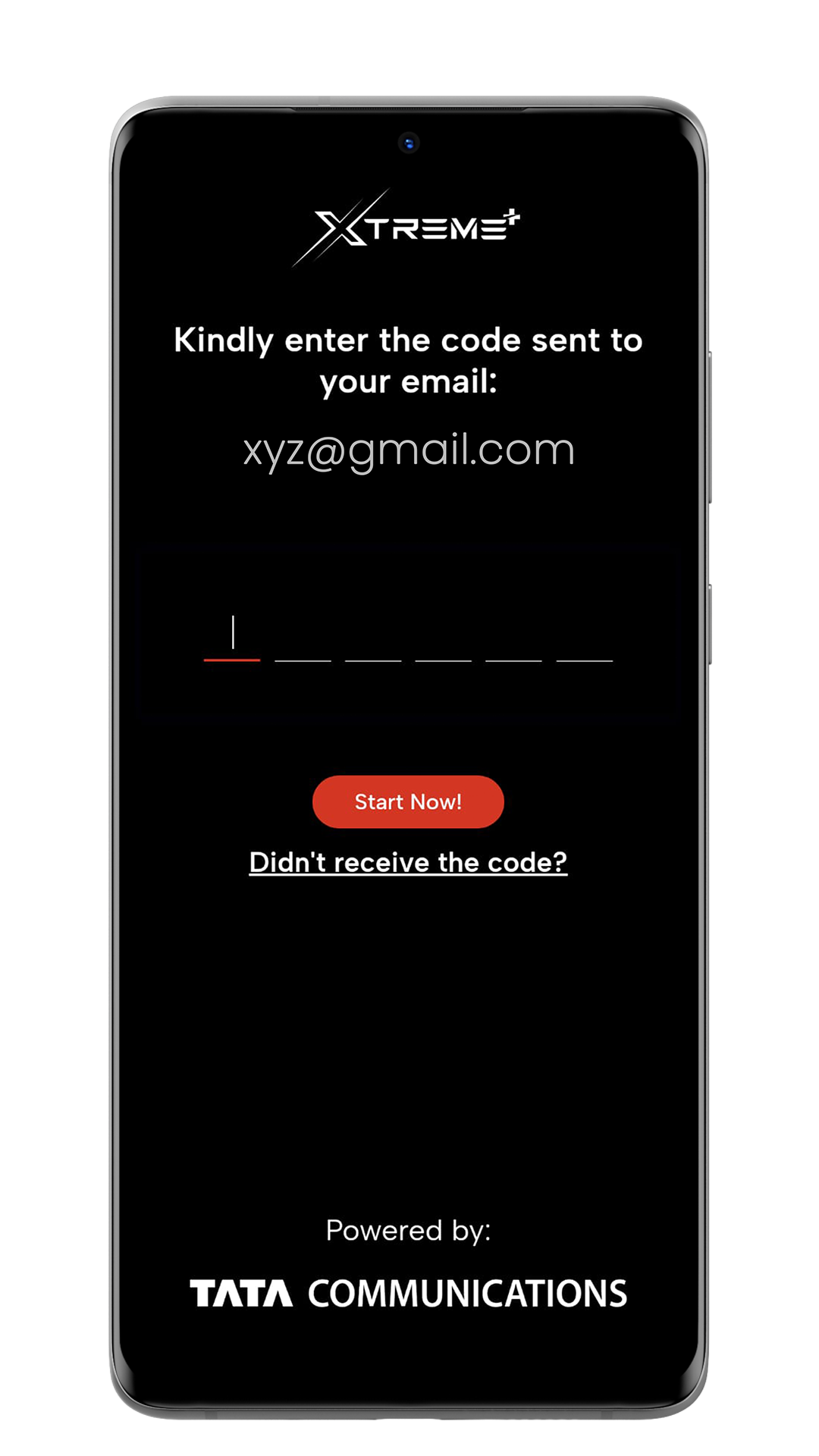
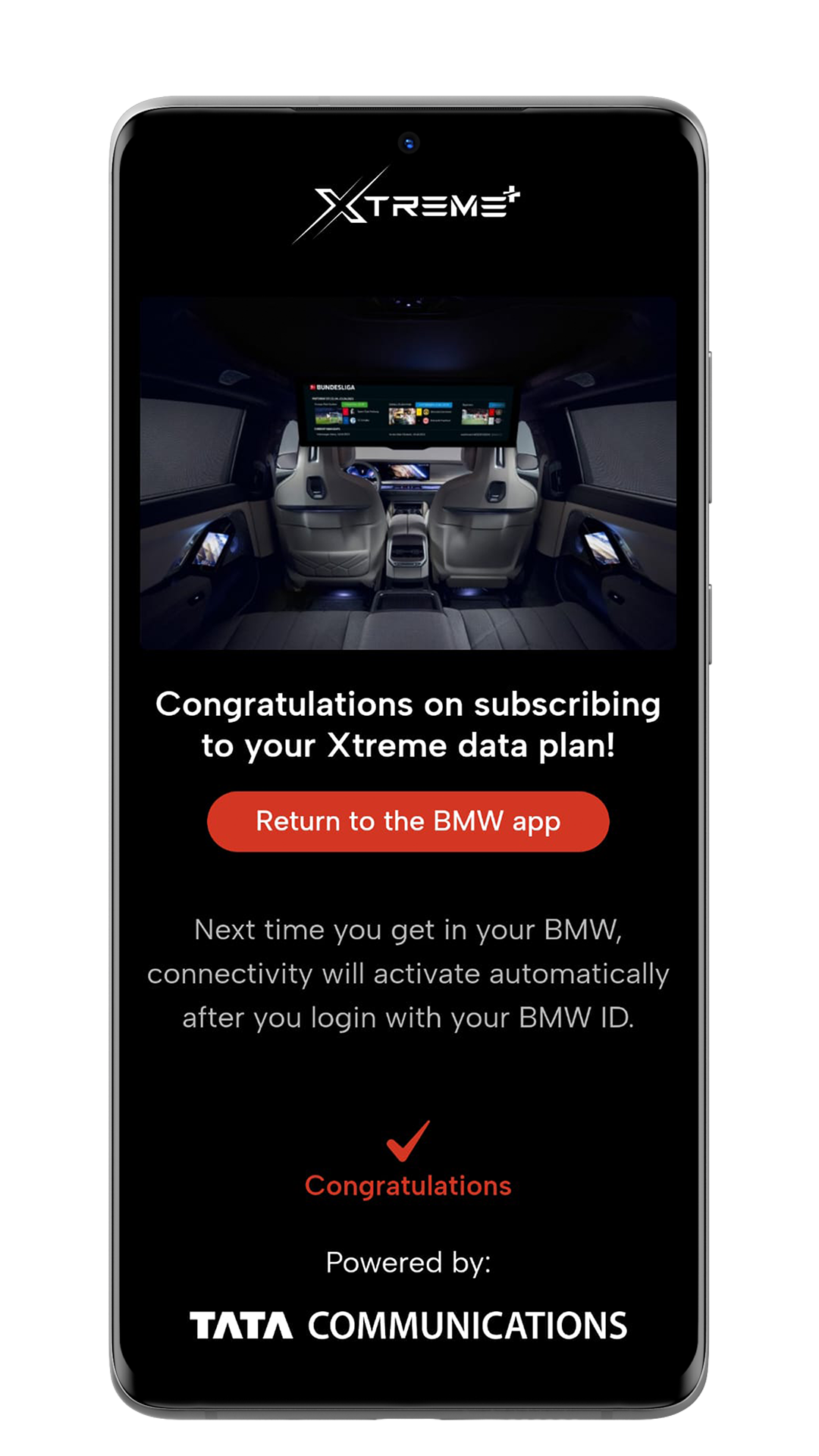
2. Create your Xtreme+ account and get connectivity
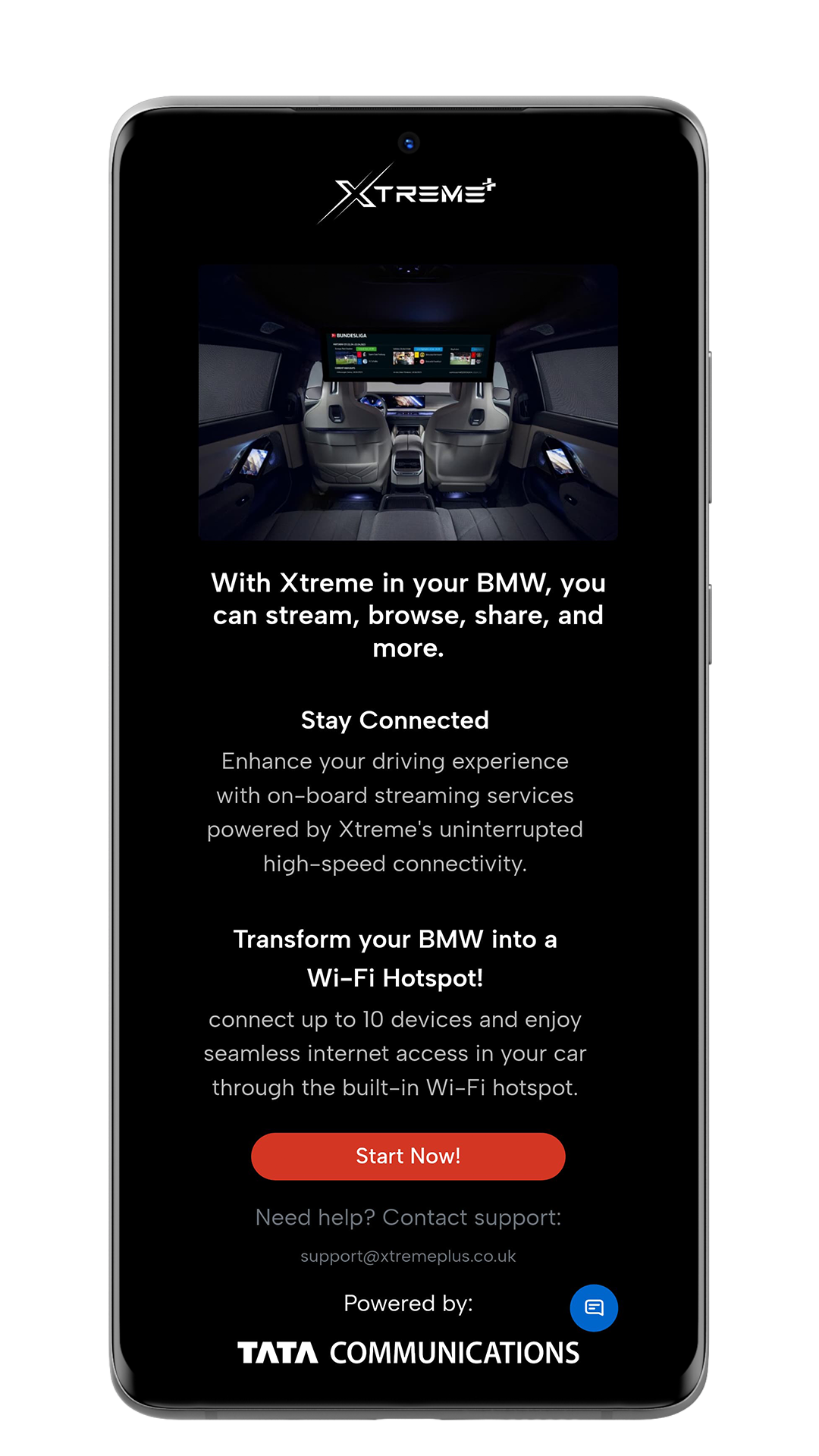
3. Setting Up Your Xtreme+ Connectivity in Your BMW
- Inside your vehicle, navigate to the profile icon in the top right corner of the iDrive screen.
- Select "Add BMW ID" and choose your preferred login method. Follow the step-by-step instructions.
- Your Xtreme+ connectivity will be automatically activated in your BMW.

Enjoy seamless streaming, browsing, sharing, and more!
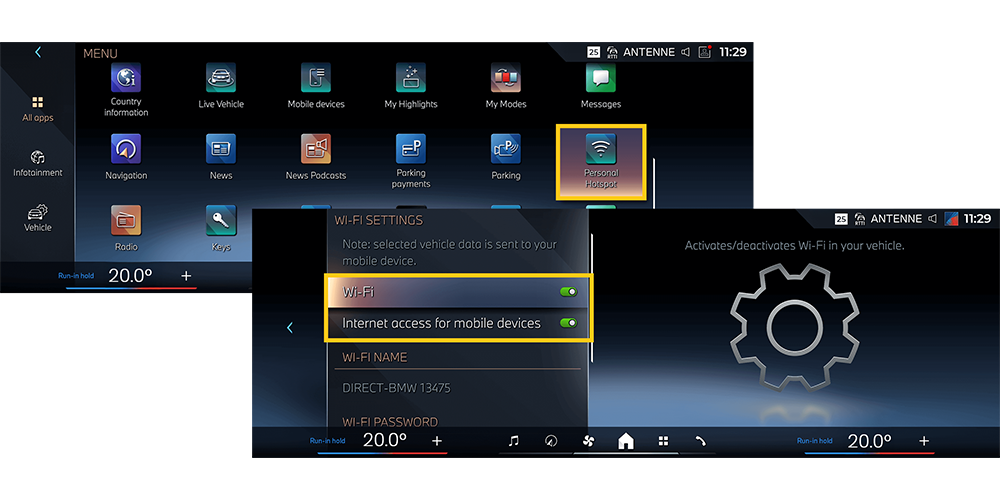
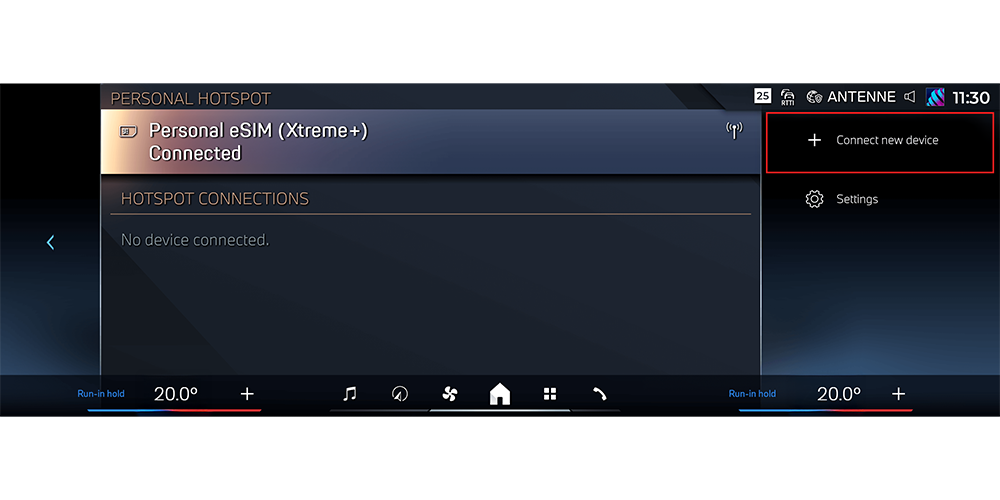
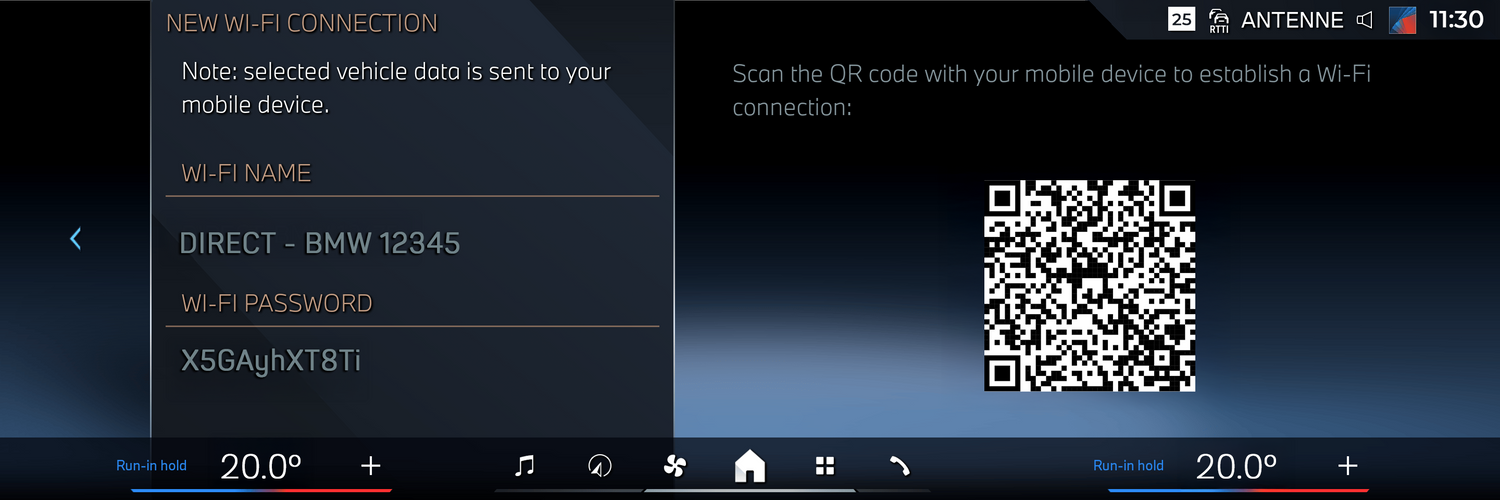
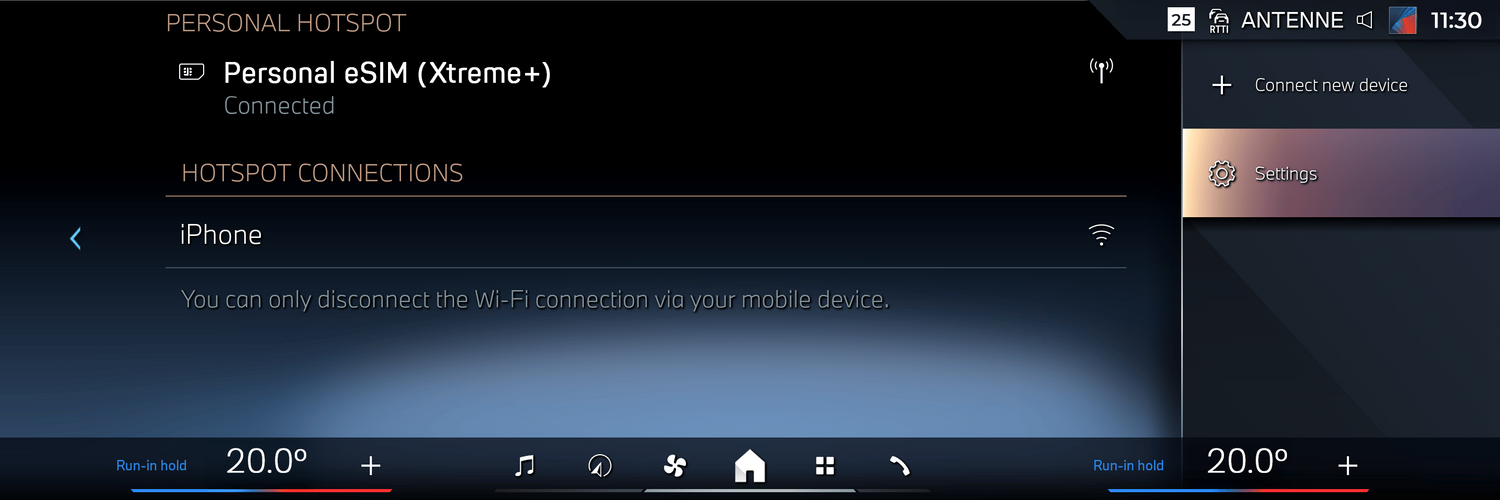
Share Your Xtreme+ Data Connectivity with Additional Devices
Frequently Asked Questions
Everything you need to know about setting up Xtreme+ connectivity in your compatible BMW, activating your Personal eSIM, and sharing in-car Wi-Fi with your devices.
What is BMW Personal eSIM with Xtreme+?
BMW Personal eSIM with Xtreme+ gives your compatible BMW its own mobile data connection, separate from your phone hotspot. It helps enable onboard connectivity, in-car Wi-Fi, browsing, streaming, and sharing data with other devices through your BMW.
Is this the same as using my phone as a hotspot?
No. A phone hotspot uses your mobile phone’s battery, signal, and data plan. BMW Personal eSIM is designed to give your compatible BMW its own onboard data connection, so passengers can connect through the car instead of relying on your phone hotspot.
How do I know if my BMW is compatible?
You can check compatibility using the Check Your Eligibility option on this page. You will need an eSIM-compatible BMW in a supported market to use Xtreme+ onboard connectivity.
What do I need before I start activation?
Before starting, make sure you have:
- A compatible BMW with Personal eSIM support
- The My BMW App installed on your phone
- Your BMW ID login details
- A valid email address
- An Xtreme+ account and selected data plan
For a smoother setup, use the same email address that you use for your My BMW App account.
Where do I activate Xtreme+ for my BMW?
Start in the My BMW App. Go to your profile, select Personal eSIM, choose your country, then select Mobile data only - Xtreme as your mobile network provider.
Why do I need to create an Xtreme+ account?
Your Xtreme+ account links your selected data plan to your BMW ID. After choosing Xtreme+ in the My BMW App, you will be redirected to the Xtreme+ account page to complete registration, select your recurring data plan, check out, and verify your email address.
Why should I use the same email address as my My BMW App account?
Using the same email address helps complete the linking process between your BMW ID and your Xtreme+ eSIM profile. This helps ensure the service connects correctly to your BMW.
What happens after I verify my email address?
Once your email address is verified, your Xtreme+ eSIM profile is linked to your BMW ID. You can then return to the My BMW App and check your eSIM profile status.
How do I activate Xtreme+ inside my BMW?
Inside your vehicle, go to the profile icon on the iDrive screen, select Add BMW ID, choose your preferred login method, and follow the on-screen instructions. Your Xtreme+ connectivity should then activate automatically in your BMW.
How do I turn my BMW into a Wi-Fi hotspot?
Open Personal Hotspot in your BMW by going to Menu > All Apps > Personal Hotspot. Then go to Wi-Fi Settings and enable Internet Access for Mobile Devices.
How do I connect my phone, tablet, or laptop to the BMW hotspot?
In the Personal Hotspot menu, select Connect New Device. Then scan the QR code with the device you want to connect and follow the on-screen instructions. Once your device appears in the personal hotspot list, it is successfully connected to Wi-Fi.
Can multiple devices connect to the BMW hotspot?
Yes. The Personal Hotspot feature is designed to share your BMW’s data connectivity with additional devices such as phones, tablets, and laptops, depending on vehicle compatibility, device settings, network coverage, and your data plan.
Can passengers use Wi-Fi while the car is moving?
Yes. Passengers can use connected devices while travelling, subject to coverage, device compatibility, and your selected data plan. For safety, the driver should always stay focused on the road and use only appropriate hands-free, audio, navigation, or voice-control features while driving.
Can the driver watch video while driving?
No. The driver should not watch video while driving. Video and entertainment should be used by passengers or while the vehicle is parked. While driving, the driver should stay focused on the road and use safe features such as audio, voice control, navigation, and hands-free functions.
Can I stream Netflix, Spotify, sports, or news in my BMW?
Xtreme+ connectivity can support streaming, browsing, sharing, and entertainment where your BMW, app, data plan, and network coverage allow. For safety, video should be used by passengers or while parked. Drivers should use audio, voice controls, navigation, and hands-free features while driving.
Will Xtreme+ use my phone’s mobile data?
Once activated, Xtreme+ Personal eSIM connectivity is designed to use your BMW’s onboard eSIM data service rather than your phone hotspot. This is one of the main benefits of using BMW Personal eSIM with Xtreme+.
Do I need a physical SIM card?
No. BMW Personal eSIM is digital, so there is no physical SIM card to insert into the vehicle. The setup is completed through the My BMW App, your Xtreme+ account, and your BMW’s iDrive screen.
What should I do if I do not see Xtreme+ in the My BMW App?
First, check that your BMW is compatible and that you are in a supported market. Then make sure your My BMW App is updated and that you are logged in with the correct BMW ID. If Xtreme+ still does not appear, contact Xtreme+ support for help.
What should I do if my eSIM profile is not activating?
Check that you selected Xtreme+ in the My BMW App, created your Xtreme+ account, used the same email address as your My BMW App account, verified your email, selected a recurring data plan, and added your BMW ID inside the vehicle. If the issue continues, contact Xtreme+ support with your registered email address and vehicle details.
What should I do if my connected device has no internet?
Open the Personal Hotspot settings in your BMW and confirm that Internet Access for Mobile Devices is enabled. Then check whether your device appears in the personal hotspot list. If needed, disconnect and reconnect your device by scanning the QR code again.
Does Xtreme+ replace BMW ConnectedDrive?
No. BMW ConnectedDrive is BMW’s digital services platform. Xtreme+ provides mobile data connectivity for the BMW Personal eSIM experience on compatible vehicles.